

Privly for Canadian B2B Teams

Photo by Ashutosh Gupta on Unsplash
A Canadian filter can return people whose companies, responsibilities, or needs do not match your offer. Privly helps your team review business context, research relevant prospects, organize leads, and prepare outreach. Add clear regional criteria and an accountable review process before expanding a campaign.
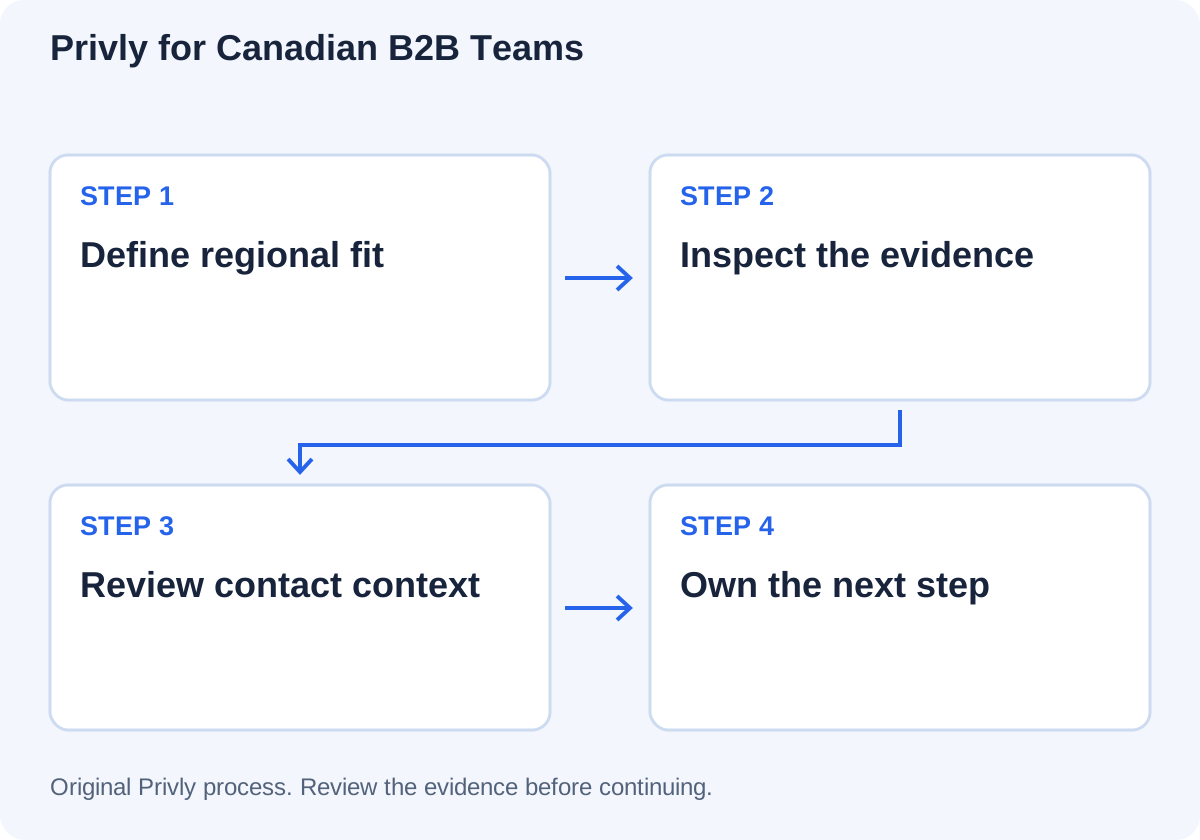
Define what Canadian fit means for your business
Choose the location rule for the campaign: headquarters, an operating location, or responsibility for a Canadian business unit. Add the company type, role, problem, and delivery requirements. Keep location separate from buying intent.
Review the suggested business profile in Privly against the offer you can deliver today. Confirm service coverage and exclusions. When communication becomes relevant, confirm language preferences and time zone with the buyer instead of inferring them from a name or profile location.
Keep regional context attached to prospect review
Inspect current company and role, available evidence, and why the person may need the offer. Check whether a post refers to a Canadian team, a global project, or a previous employer. Retain uncertain requirements in the team’s research notes.
Organize suitable leads in a list. Coordinate existing customers, active opportunities, duplicate approaches, and previous stop requests through your current records. More regional lists do not remove the need for a consistent eligibility decision.
From evidence to the next action
Review the campaign and contact basis separately
In Privly, select the intended audience and inspect sender, campaign goal, sequence, execution mode, and message previews. Use the verified situation to ask one relevant question. Do not imply that a regional connection creates familiarity or permission.
| Check | Decision to record |
|---|---|
| Audience | The company and person meet the regional and business brief. |
| Evidence | The source supports the stated problem. |
| Contact basis | The message and channel have been reviewed under applicable requirements. |
| Sender | The correct authorized account represents the offer. |
| Owner | Someone will read the reply and handle the next action. |
The CASL guide explains consent, exemptions, and direct-message scenarios using official sources. This checklist supports a team review; it is not a compliance certification.
Keep the handoff useful across the team
Use Messages to inspect reply context before another teammate takes over. Record the buyer’s words, confirmed requirements, promised next step, and receiving owner in your agreed sales record. Confirm meeting times with the time zone explicitly stated.
If exporting selected leads, agree destination mapping and carry research and ownership notes separately. The current lead CSV is not a complete conversation or consent record. Track total replies, relevant interest, and held qualified calls as different outcomes.
Questions from Canadian teams
Use the Canadian prospecting guide to prepare the regional brief before using the profile tool below.