How to Schedule Pinterest Pins Automatically in 2026
This article covers Privly's legacy Social Publishing capability, which remains available only to workspaces with legacy access and is not the primary current product.

Manual pinning breaks down as soon as Pinterest starts working
Pinterest rewards consistency, fresh creative, and search-friendly descriptions. That is exactly why manual pinning becomes painful once a blog, shop, newsletter, or creator brand has more than a few links to promote. You remember to pin for three days, miss the next four, then dump everything into the feed at once. If you want to schedule Pinterest pins automatically in 2026, the goal is not just saving time. The goal is building a repeatable publishing rhythm that lets each pin earn saves, clicks, and search momentum without requiring daily manual work.
Pinterest is not a normal social feed. A post on X can disappear in hours. A TikTok can spike and fade in a weekend. A strong pin can keep sending traffic for months because people use Pinterest like a visual search engine. That makes scheduling especially valuable: you can prepare fresh variations ahead of time, spread them across the month, and give each keyword cluster time to compound.
What it means to schedule Pinterest pins automatically in 2026
Automatic Pinterest scheduling means more than choosing a date and clicking publish later. A practical 2026 workflow includes five pieces:
- Fresh pin variations: multiple graphics for the same landing page, each with a distinct hook or visual angle.
- Keyword-aware titles and descriptions: Pinterest needs clear topic signals, not vague lifestyle copy.
- Board matching: each pin should go to the most relevant board, not a catch-all folder.
- Even spacing: pins should publish steadily instead of arriving in one batch.
- Performance review: winners should generate more variations, while weak pins should stop draining calendar space.
The best version of this workflow connects Pinterest to the rest of your content system. If you already use a social media content calendar template, Pinterest should sit beside Instagram, LinkedIn, TikTok, and X instead of living in a separate spreadsheet.
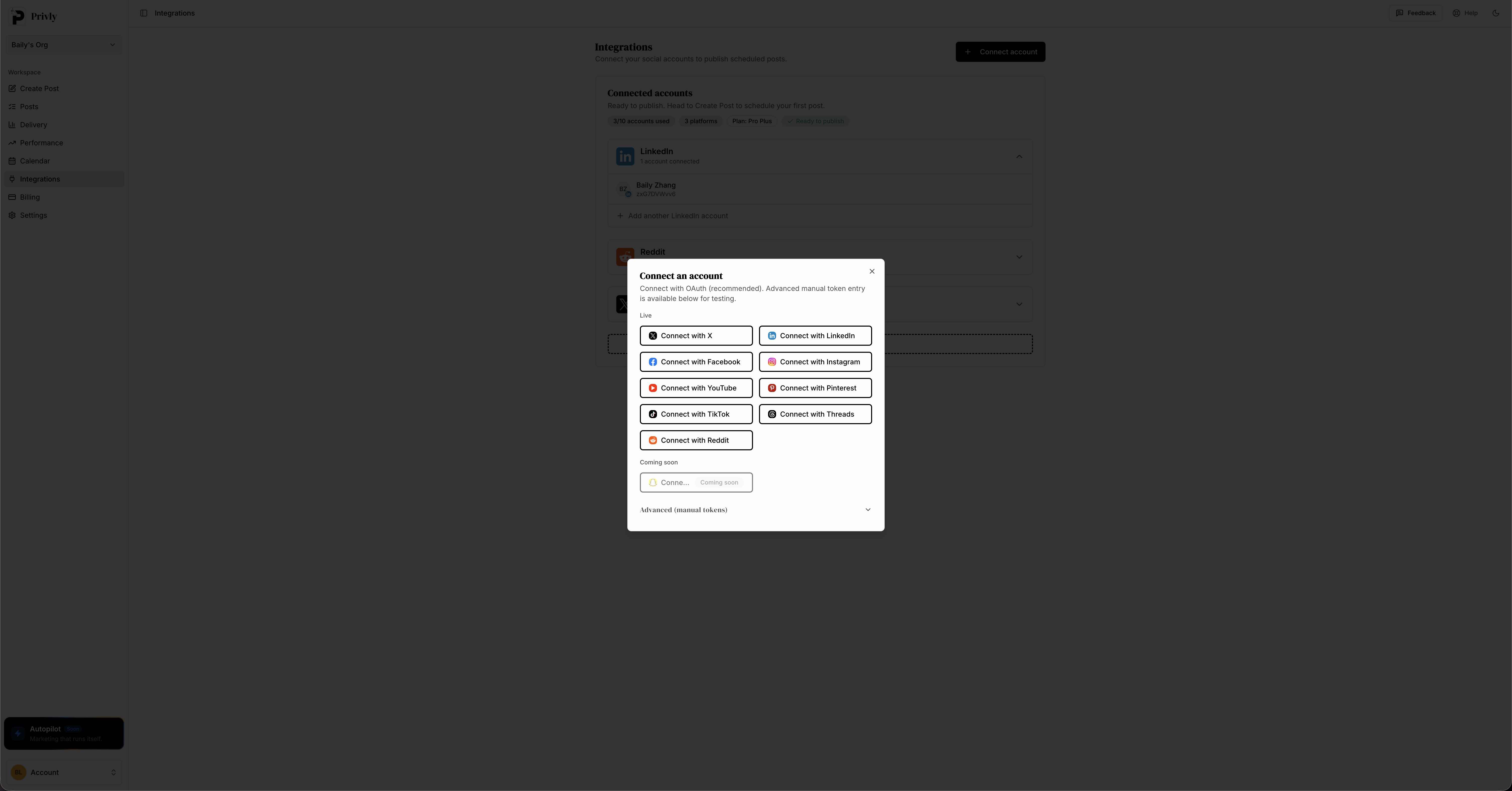 Privly keeps Pinterest inside the same publishing workspace as your other social channels.
Step-by-step: how to schedule Pinterest pins automatically
Step 1: Choose the links that deserve steady Pinterest traffic
Start with destinations that can convert long after the pin goes live. Good Pinterest links include:
- Blog posts with evergreen search demand
- Product category pages
- Free templates or lead magnets
- Recipe, fitness, fashion, home, beauty, travel, and education resources
- YouTube videos or podcast pages with clear topics
Do not schedule pins for every random page on your site. Pick 5 to 10 URLs that match what Pinterest users already search for. If one blog post solves a specific problem, create several pin angles for it. For example, one article about content calendars could become "4-week content calendar template," "social media planning checklist," and "weekly posting schedule for small teams." Same destination, different search intent.
Step 2: Batch-create fresh pin variations
Pinterest wants fresh creative. That does not mean every pin needs a brand-new article behind it. It means the image, title, description, or format should be meaningfully different from previous pins.
A focused batching session might look like this:
| Asset | Quantity | Purpose |
|---|---|---|
| Standard vertical pin | 3 variations | Test headline and layout differences |
| Infographic pin | 1 variation | Earn saves from checklist-style searches |
| Product or feature pin | 1 variation | Drive direct clicks to a product page |
| Short video pin | 1 variation | Test motion and tutorial angles |
If you publish one pin per day, six variations for one URL can cover nearly a week without repeating identical creative. If you are already learning how to repurpose content across social platforms, Pinterest can become one more output from the same core idea instead of a separate content job.
Step 3: Write titles and descriptions like Pinterest is a search engine
Pinterest descriptions should be clear enough for both humans and search systems. Avoid clever captions that hide the topic. A good title usually includes the primary keyword near the front, then a useful outcome.
Weak title: "Finally getting organized"
Better title: "Social Media Content Calendar Template for Small Teams"
Weak description: "This changed how we plan content. Save this for later."
Better description: "Use this social media content calendar template to plan weekly posts, assign owners, and keep Instagram, Pinterest, LinkedIn, and TikTok on schedule."
That second version gives Pinterest real ranking signals. It names the topic, the audience, and the outcome. The same principle applies when you schedule Instagram posts automatically, but Pinterest depends on keyword clarity even more because search behavior is central to the platform.
Step 4: Schedule ahead by season, not just by week
Pinterest users plan early. Holiday recipes, back-to-school checklists, home projects, travel ideas, wedding inspiration, and gift guides often start building demand weeks before other platforms notice. If you schedule pins only a few days before the event, you are late.
Use this timing rule:
| Content type | Schedule lead time |
|---|---|
| Evergreen blog or product content | 2 to 4 weeks ahead |
| Seasonal content | 30 to 45 days ahead |
| Holiday shopping content | 45 to 60 days ahead |
| Event or launch content | 2 to 3 weeks ahead |
The goal is to give Pinterest enough time to test, index, and distribute the pin before demand peaks.
Step 5: Space pins across boards and days
Dumping 20 pins into Pinterest at once is not a strategy. It creates a short burst of activity and then a long silence. Schedule pins across days and, where relevant, across different boards.
A simple weekly cadence might look like this:
| Day | Pin type | Example |
|---|---|---|
| Monday | Evergreen blog pin | Tutorial or checklist |
| Tuesday | Product pin | Feature or product category |
| Wednesday | Infographic pin | Step-by-step visual |
| Thursday | Seasonal pin | Upcoming event or trend |
| Friday | Video pin | Quick demo or tutorial |
Once the queue is built, you should not need to log in daily. You should only need to review performance and add new batches.
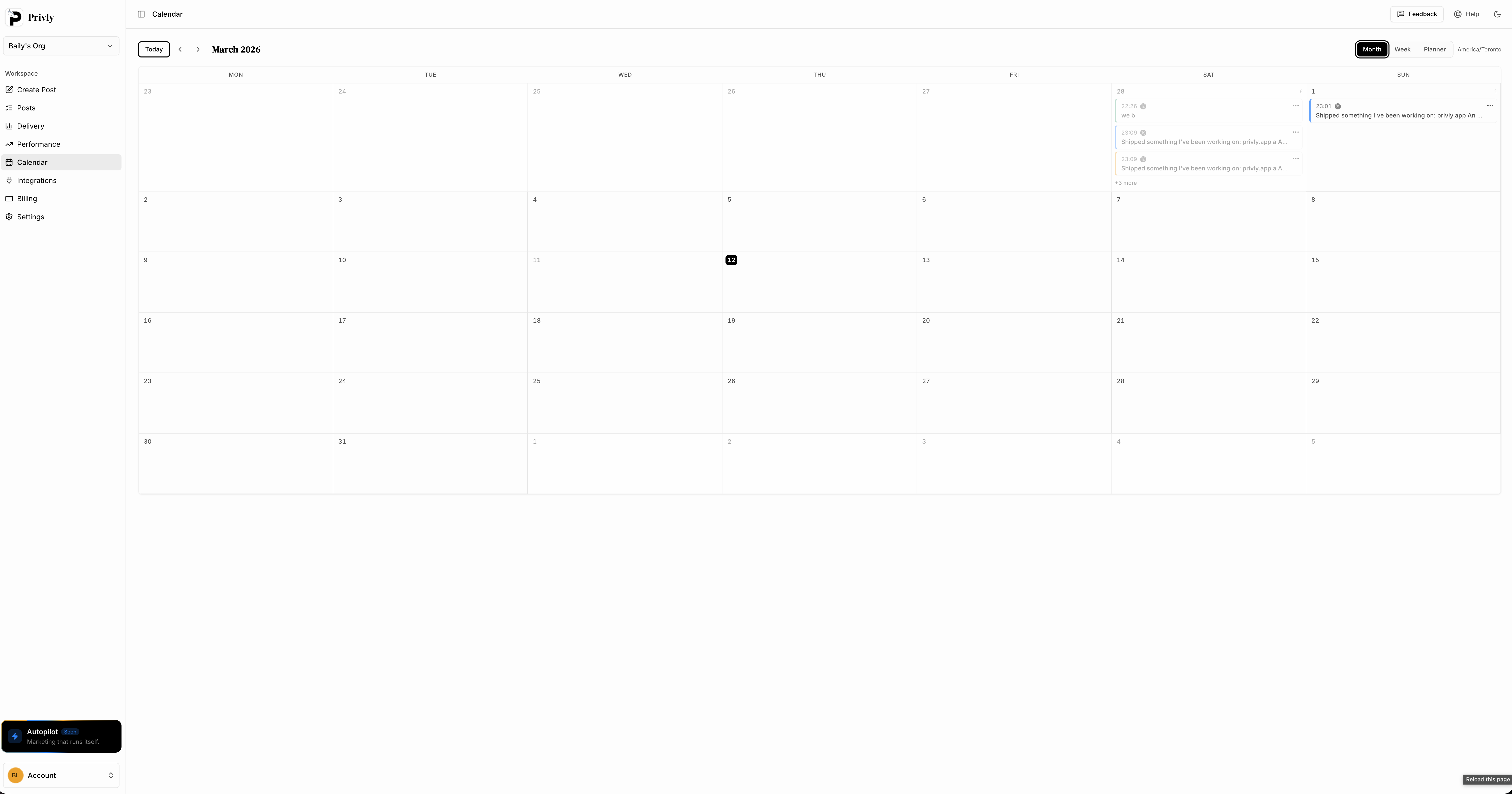 A monthly calendar makes spacing obvious before anything goes live.
Step 6: Review saves, outbound clicks, and repeatable themes
After three to four weeks, review performance by destination URL and pin angle. Saves matter because they signal usefulness and extend distribution. Outbound clicks matter because they prove the pin drives traffic, not just browsing.
Look for patterns:
- Which title formats get saves?
- Which visuals get clicks?
- Which boards send the best traffic?
- Which topics keep working after the first week?
- Which pins get impressions but no clicks?
Then create more variations of the winners. If a checklist pin drives clicks, make another checklist with a different hook. If a beautiful lifestyle pin gets saves but no traffic, test a clearer title and stronger text overlay.
Common mistakes to avoid
- Reposting identical pins too often. Pinterest can treat repeated creative as low-value or spammy.
- Using vague descriptions. Pinterest needs clear keywords, audiences, and outcomes.
- Scheduling too close to seasonal demand. The platform needs time to test and index content.
- Pinning every URL equally. Focus on pages that can convert or keep earning traffic.
- Ignoring board relevance. A great pin on the wrong board sends weak topic signals.
- Using unofficial automation shortcuts. Stick with approved scheduling workflows that protect account reliability.
Native Pinterest scheduler vs a dedicated tool
Pinterest has native scheduling, and it is useful for basic needs. The limitation is scale. If you only publish a handful of pins, native scheduling may be enough. If you are planning weeks of content, managing multiple channels, or trying to keep a real marketing calendar, a dedicated scheduler becomes much more efficient.
| Need | Native Pinterest scheduler | Dedicated social scheduler |
|---|---|---|
| Short-term scheduling | Good for simple queues | Good for short and long planning |
| Batch creation | Manual and repetitive | Faster with reusable workflows |
| Multi-platform planning | Pinterest only | Pinterest plus other social channels |
| AI descriptions | Limited or separate | Built into the drafting flow |
| Calendar visibility | Basic | Full monthly content view |
| Team review | Limited | Better for approvals and handoffs |
This is why many teams start with native scheduling, then move to a broader tool once Pinterest becomes part of a serious content engine.
Time savings from automated Pinterest scheduling
The biggest gain is not one saved click. It is removing daily context switching. A creator or founder can turn one planning session into a full month of pins, then spend the rest of the month improving assets and reviewing performance.
| Workflow | Manual pinning | Automated scheduling |
|---|---|---|
| Create 20 pin variations | 3 to 5 scattered sessions | 1 focused batching session |
| Write titles and descriptions | 1 to 2 hours | 20 to 30 minutes with AI drafts |
| Publish pins | Daily manual work | Queue once, publish automatically |
| Review performance | Easy to forget | Built into weekly review |
| Coordinate other channels | Separate tools | Same calendar |
For teams already comparing Pinterest tools, our guide to the best Tailwind alternatives for 2026 explains when a Pinterest-specific tool makes sense and when a multi-platform scheduler is the better fit.
FAQ
How many Pinterest pins should I schedule per day?
For most small teams and creators, one to three thoughtful pins per day is a practical starting point. Quality matters more than volume. If you can only create strong fresh pins three times a week, start there. Increase cadence only when you can keep the creative, descriptions, and board matching useful.
Can I schedule the same URL more than once?
Yes, but use fresh creative and a distinct angle. One blog post can support several pins if each one has a different image, title, or search intent. Repeating the exact same pin again and again is where accounts run into quality problems.
How far ahead should I schedule seasonal Pinterest content?
Plan seasonal pins 30 to 45 days ahead, and plan major holiday shopping content 45 to 60 days ahead. Pinterest users search earlier than users on fast social feeds, so early scheduling gives the platform time to understand and distribute the pin.
Do Pinterest pins need hashtags in 2026?
Hashtags are much less important than clear titles, descriptions, boards, and visual relevance. If you use hashtags, keep them minimal and topic-specific. Do not use them as a substitute for a useful keyword-rich description.
Run Pinterest scheduling from the same calendar as everything else
Pinterest works best when it is consistent, searchable, and connected to the rest of your content strategy. Privly helps you draft pin descriptions with AI, organize posts in a shared calendar, and schedule content across Pinterest and your other social channels from one workspace. That means fewer manual publishing sessions, fewer forgotten posts, and more time spent improving the ideas that actually drive clicks.
Start a free Privly trial and schedule Pinterest pins automatically
More from the blog
Competitor Monitoring: How to Find Buyers Ready to Switch
Monitor competitor mentions for dissatisfaction, alternative searches, comparison questions, missing capabilities, and genuine buying opportunities.
August 13, 2026 · Privly Team
Intent-Based Outreach: Turn Buying Signals Into Relevant Messages
Learn how buyer signals, source evidence, fit, timing, channel choice, and human review create more relevant B2B outreach.
August 13, 2026 · Privly Team
Social Listening for Lead Generation: How to Find Buying Signals
Use social listening to find buying signals, separate real opportunities from ordinary mentions, and qualify people before deciding whether to act.
August 13, 2026 · Privly Team