Best Tailwind Alternatives for Pinterest Creators 2026
This article covers Privly's legacy Social Publishing capability, which remains available only to workspaces with legacy access and is not the primary current product.

Tailwind is useful, but Pinterest creators now need more than a Pinterest queue
Tailwind became popular because it solved a real problem: Pinterest publishing was too manual. For bloggers, ecommerce brands, and creators, queuing pins ahead of time was a huge upgrade over logging into Pinterest every day. But the content job has expanded. The same team now needs Pinterest, Instagram, TikTok, LinkedIn, X, Threads, Facebook, YouTube, and sometimes Reddit. That is why searches for Tailwind alternatives keep growing in 2026.
The right replacement depends on what you need Tailwind to do. If Pinterest is your only serious channel and you use Tailwind's Pinterest-native features heavily, you may not need to switch. If you are building a multi-platform content engine, want stronger AI drafting, or need one calendar for every channel, a broader scheduler can be a better fit.
What to look for in Tailwind alternatives in 2026
Do not compare tools by feature grids alone. A good Tailwind alternative should make your weekly publishing workflow faster, not just give you more buttons.
Look for five things:
- Pinterest support: you still need reliable pin scheduling, board selection, and visual planning.
- Multi-platform coverage: Pinterest rarely works alone anymore.
- AI writing support: captions, descriptions, hooks, and variations should take minutes, not hours.
- Calendar clarity: you should see what is going out by day, platform, and campaign.
- Predictable pricing: limits should match your output volume without forcing constant upgrades.
If your main problem is simply learning how to schedule Pinterest pins automatically, start with workflow fit before price. A cheaper tool that adds manual work is not cheaper in practice.
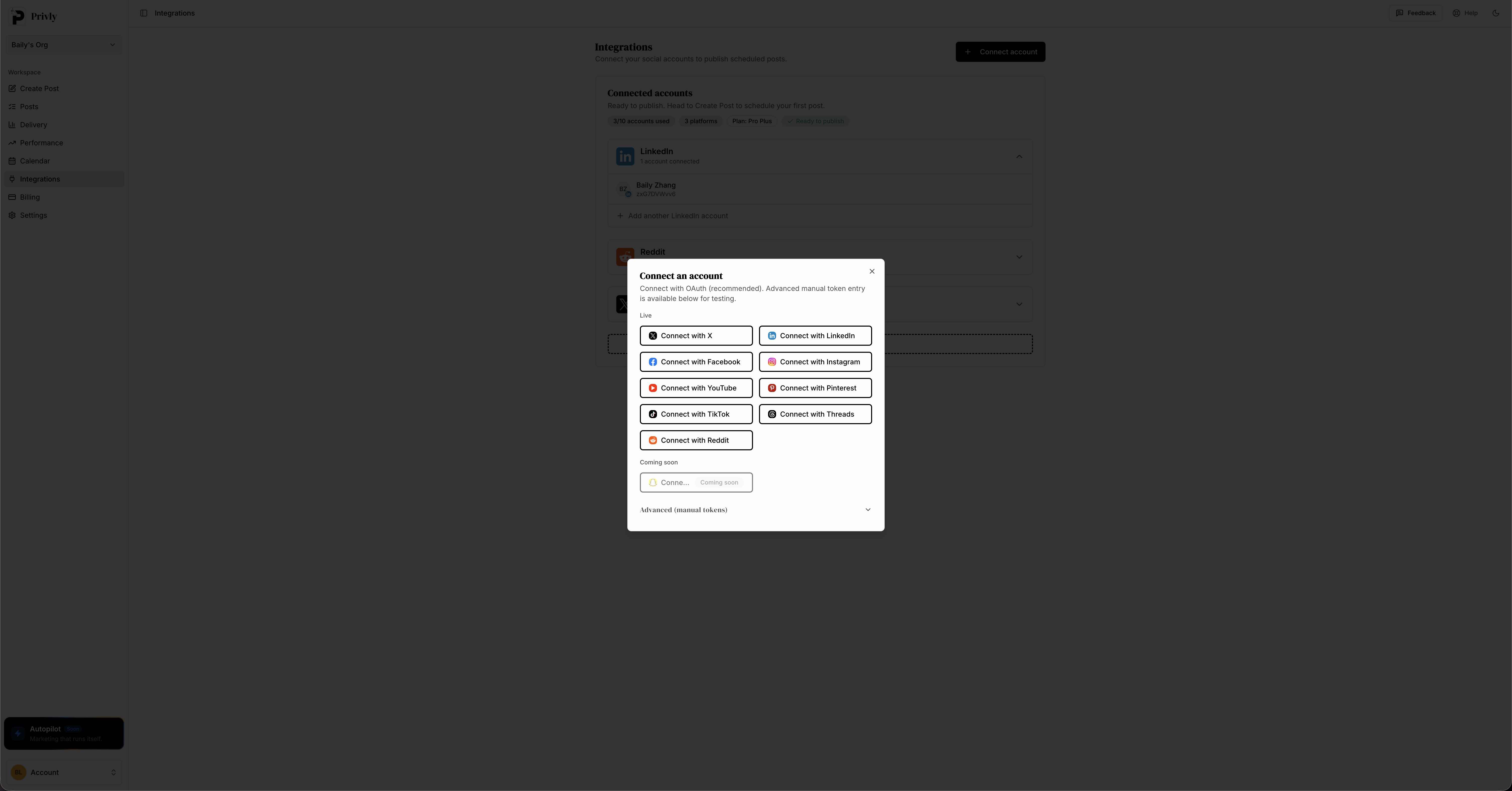 Privly is built for Pinterest plus the rest of your publishing stack.
The best Tailwind alternatives for 2026
1. Privly: best AI-first Tailwind alternative for multi-platform teams
Privly is the strongest Tailwind alternative for creators, founders, and small teams that have outgrown Pinterest-only scheduling. It brings AI drafting, cross-platform scheduling, and calendar planning into one workspace, so Pinterest can sit beside Instagram, LinkedIn, TikTok, X, Threads, Facebook, YouTube, and Reddit.
Where Tailwind is strongest for Pinterest-specific workflows, Privly is stronger for the full content operation. You can draft a core idea with AI, adapt it into different platform formats, schedule posts, and review the whole month without bouncing between tools.
Best fit:
- Creators publishing on Pinterest and several social channels
- Founders who need one workspace for content planning
- Small teams that want AI writing built into the publishing flow
- Users comparing Tailwind, Buffer, Later, and AI schedulers
Key advantages:
- AI-native workflow: generate hooks, captions, pin descriptions, and platform variations faster.
- Real multi-platform support: manage Pinterest beside the rest of your channels.
- Cleaner calendar planning: see campaigns and posting cadence in one monthly view.
- Better fit for teams: move from idea to draft to scheduled post without separate documents.
Privly is also a natural fit if you are comparing broader scheduling tools. The same reasons it works as a Tailwind replacement also show up in our breakdown of the best social media scheduler for creators.
2. Later: best for visual Instagram planning with Pinterest support
Later is a strong option for creators who care most about Instagram layout planning and visual scheduling. It supports Pinterest and can work well for brands that want a polished calendar, media library, and link-in-bio workflow.
The trade-off is focus. Later feels most at home when Instagram is the center of the strategy. Pinterest support is useful, but creators who relied on Tailwind for Pinterest-specific behavior may find it lighter. AI features are also not the main reason to choose Later.
Best fit:
- Instagram-first creators who also publish to Pinterest
- Brands that need visual grid planning
- Teams that care about media organization and link-in-bio pages
3. Metricool: best for analytics-heavy social teams
Metricool is a good Tailwind alternative if reporting matters as much as scheduling. It covers many platforms, includes competitor and analytics features, and gives teams a deeper look at what is working.
The trade-off is workflow feel. Metricool can be powerful, but creators who want a simple AI-first drafting experience may find it more reporting-heavy than content-production-friendly. If that trade-off matters to you, our Metricool alternative comparison breaks down when reporting dashboards are enough and when a drafting-to-scheduling workflow wins.
Best fit:
- Teams that care about analytics dashboards
- Agencies managing several social accounts
- Operators who want scheduling and reporting in one place
4. Publer: best lower-cost feature-dense scheduler
Publer is often attractive because it packs a lot of scheduling features into accessible plans. It supports bulk scheduling, recycling, link handling, and several social networks.
The trade-off is polish. Publer can be very capable, but the experience can feel more utilitarian than modern. If you want AI to be central to content creation, Privly will usually feel more natural.
Best fit:
- Budget-conscious creators
- Users who want bulk scheduling features
- Teams that prefer function over interface polish
5. Planoly: best simple visual planner for solo creators
Planoly is a calm visual planning tool for creators who want a straightforward calendar for Instagram and Pinterest. It is easy to understand, especially for solo users who do not need a complex team workflow.
The trade-off is scale. Planoly is less compelling if you need broad platform coverage, deep AI drafting, or a workflow that supports multiple people reviewing and approving content.
Best fit:
- Solo creators with simple visual calendars
- Lifestyle, beauty, fashion, and ecommerce brands
- Users who want Pinterest plus Instagram without heavy setup
6. Pinterest native scheduler: best free option for light users
Pinterest's native scheduling tool is the simplest Tailwind alternative because it is already inside Pinterest. If you only need to queue a few pins ahead and do not manage other channels, it may be enough.
The trade-off is time. Native scheduling becomes repetitive when you create many fresh pin variations or plan content across multiple platforms. It also does not replace a real content calendar.
Best fit:
- Very light Pinterest users
- Creators testing Pinterest before paying for software
- Teams that only need occasional scheduled pins
Tailwind alternatives compared
| Tool | Best for | Main strength | Main trade-off |
|---|---|---|---|
| Privly | Multi-platform creators and teams | AI drafting plus cross-platform scheduling | Newer than legacy schedulers |
| Later | Instagram-first visual brands | Polished media planning | Pinterest depth is lighter |
| Metricool | Analytics-heavy teams | Reporting and multi-platform data | Less focused on AI content creation |
| Publer | Budget-conscious schedulers | Feature density | Interface can feel utilitarian |
| Planoly | Solo visual creators | Simple visual calendar | Limited for broader workflows |
| Pinterest native | Light users | Free and direct | Manual for serious output |
When Tailwind still makes sense
Tailwind can still be a good choice if Pinterest is your core growth channel and you depend on Pinterest-specific workflows every week. A blogger publishing dozens of pins into a narrow set of boards may still prefer a tool built around that behavior.
Tailwind also makes sense if your content operation is intentionally Pinterest-only. In that case, switching to a broader platform may add features you do not need.
The case for switching gets stronger when:
- You publish on three or more platforms
- You want AI to draft descriptions and captions
- You need a single calendar for your whole marketing plan
- You want to repurpose one idea across several networks
- You are tired of maintaining separate workflows for Pinterest and social
That is the line. Stay with a Pinterest-specific tool if Pinterest is the whole job. Switch to a multi-platform scheduler when Pinterest becomes one part of a larger content engine.
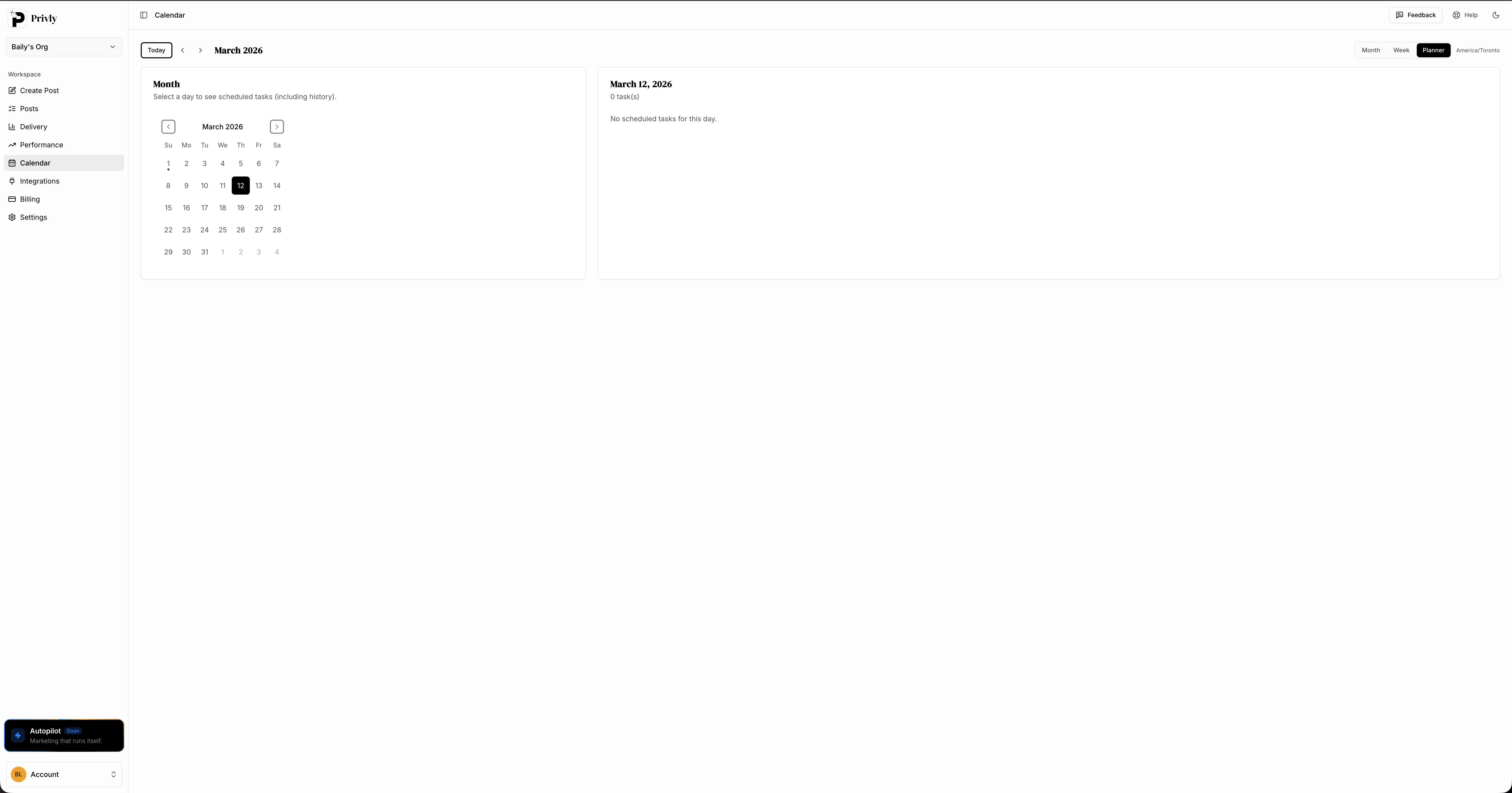 A unified calendar helps Pinterest posts support the rest of your campaign instead of sitting in a separate queue.
How to migrate from Tailwind without losing momentum
Step 1: Audit what is actually working
Before changing tools, export or document your best-performing pins, boards, URLs, and recurring campaigns. Do not move every old habit into the new system. Move the parts that are producing saves, clicks, and revenue.
Create a short list:
- Top 10 destination URLs
- Top 5 pin formats
- Boards with the clearest topic fit
- Seasonal campaigns worth repeating
- Pins that earned clicks, not just impressions
Step 2: Rebuild one month of content first
Do not try to recreate a year of Tailwind history. Build the next 30 days. Add your best URLs, create fresh pin variations, write stronger descriptions, and schedule the posts across the month.
This keeps the migration practical. You can still keep old reports for reference, but your new tool should be judged by how well it helps you ship the next month of content.
Step 3: Add your other channels to the same calendar
This is where switching from Tailwind to a broader tool pays off. Add Instagram, LinkedIn, X, TikTok, or any other priority channel beside Pinterest. Then turn one campaign into several platform-specific posts.
For example, a new blog post can become:
| Channel | Post format |
|---|---|
| 4 fresh pins over two weeks | |
| Carousel and caption | |
| Practical lesson post | |
| X | Short thread |
| TikTok | 30-second talking-point video |
If you are comparing general schedulers too, our Buffer alternative guide covers the same decision from the broader social media management angle.
Step 4: Run both systems only long enough to confirm reliability
You do not need to run Tailwind and a new scheduler in parallel for months. A short overlap is enough to confirm that accounts are connected, posting times are correct, and the team knows where work now happens.
Once the next month is loaded and publishing correctly, pick one source of truth. Running two calendars for too long creates duplicate posts, missed reviews, and confusion about which tool owns the schedule.
Common mistakes when choosing a Tailwind alternative
- Choosing only by monthly price. Time spent manually rewriting, uploading, and checking posts is part of the cost.
- Ignoring non-Pinterest channels. A Pinterest-only comparison misses the work happening on Instagram, TikTok, LinkedIn, and X.
- Treating AI as a bonus. AI drafting is now central to fast content production, especially for variations.
- Moving every old workflow forward. Migration is a chance to cut weak boards, weak campaigns, and low-click pin formats.
- Skipping team review needs. If more than one person touches content, calendar clarity and approval workflow matter.
FAQ
What is the best Tailwind alternative overall?
Privly is the best Tailwind alternative for creators and small teams that need Pinterest scheduling plus broader social media management. It is especially strong when AI drafting, cross-platform publishing, and a single calendar matter more than Pinterest-only features.
Is there a free Tailwind alternative?
Pinterest's native scheduler is the best free option for light Pinterest users. It works if you only need a small queue and do not need bulk planning, AI descriptions, or multi-platform scheduling. For serious content output, a paid scheduler usually saves more time than it costs.
Should I use Tailwind or a multi-platform scheduler?
Use Tailwind if Pinterest is your main channel and you want a Pinterest-specific workflow. Use a multi-platform scheduler if Pinterest is one channel inside a broader content strategy. The more platforms you publish on, the more valuable a unified calendar becomes.
Can I move from Tailwind to Privly in one day?
Most small teams can migrate the practical parts in one afternoon: connect accounts, list top URLs, create fresh pin variations, and load the next 30 days into the calendar. You do not need to migrate every historical detail before you start publishing.
The best Tailwind alternative depends on your actual content job
Tailwind is still useful for Pinterest-heavy creators, but many teams now need a wider operating system. Privly gives you AI drafting, Pinterest scheduling, multi-platform publishing, and a clean calendar in one place, so your content workflow can grow without adding another tab for every channel. If you are switching because Pinterest is only one part of your strategy now, Privly is the clearest upgrade path.
Start a free Privly trial and replace your Pinterest-only workflow
More from the blog
Competitor Monitoring: How to Find Buyers Ready to Switch
Monitor competitor mentions for dissatisfaction, alternative searches, comparison questions, missing capabilities, and genuine buying opportunities.
August 13, 2026 · Privly Team
Intent-Based Outreach: Turn Buying Signals Into Relevant Messages
Learn how buyer signals, source evidence, fit, timing, channel choice, and human review create more relevant B2B outreach.
August 13, 2026 · Privly Team
Social Listening for Lead Generation: How to Find Buying Signals
Use social listening to find buying signals, separate real opportunities from ordinary mentions, and qualify people before deciding whether to act.
August 13, 2026 · Privly Team