The Best Hootsuite Alternative for Small Teams in 2026
Practical guidance for founders, B2B teams, and small agencies turning buyer signals into outreach, content, and go-to-market action.

Why small teams are leaving Hootsuite in droves
If you started doing social media marketing anytime in the last ten years, you probably started with Hootsuite. It is the legacy giant in the space. But over the last few years, a massive shift has happened: small businesses, agencies, and creators are abandoning it in record numbers.
Why? Because Hootsuite stopped building for them. As the platform pushed toward large enterprise clients, their pricing skyrocketed, their interface became cluttered with features small teams never use, and their core scheduling architecture started to feel incredibly dated.
If you run a small business, a startup, or an indie agency, you don't need a complicated omnichannel compliance enterprise suite. You need a tool that helps you get good content out the door consistently across Twitter, LinkedIn, and Facebook, without taking hours to learn.
In 2026, there is a better way.
For the focused SaaS workflow comparison, see the Hootsuite vs Privly comparison.
What a modern social media scheduler actually looks like
The landscape of social media tools has fractured into two domains: massive enterprise dashboards, and agile, AI-enhanced creators tools. Small teams fall into the latter category.
Here is what you should expect from a tool in 2026 if you are moving away from legacy platforms:
1. Pricing that makes sense
You shouldn't be paying hundreds of dollars a month just to schedule posts for your 3 brand accounts. Modern alternatives offer transparent, flat pricing that scales with your actual usage, not artificial account limits.
2. Speed and UI simplicity
Legacy tools suffer from feature bloat. Clicking "New Post" shouldn't spawn a confusing modal window with 30 different toggles. A modern Hootsuite alternative is designed for speed—letting you drag, drop, and type your batch of weekly content in a single, clean calendar view.
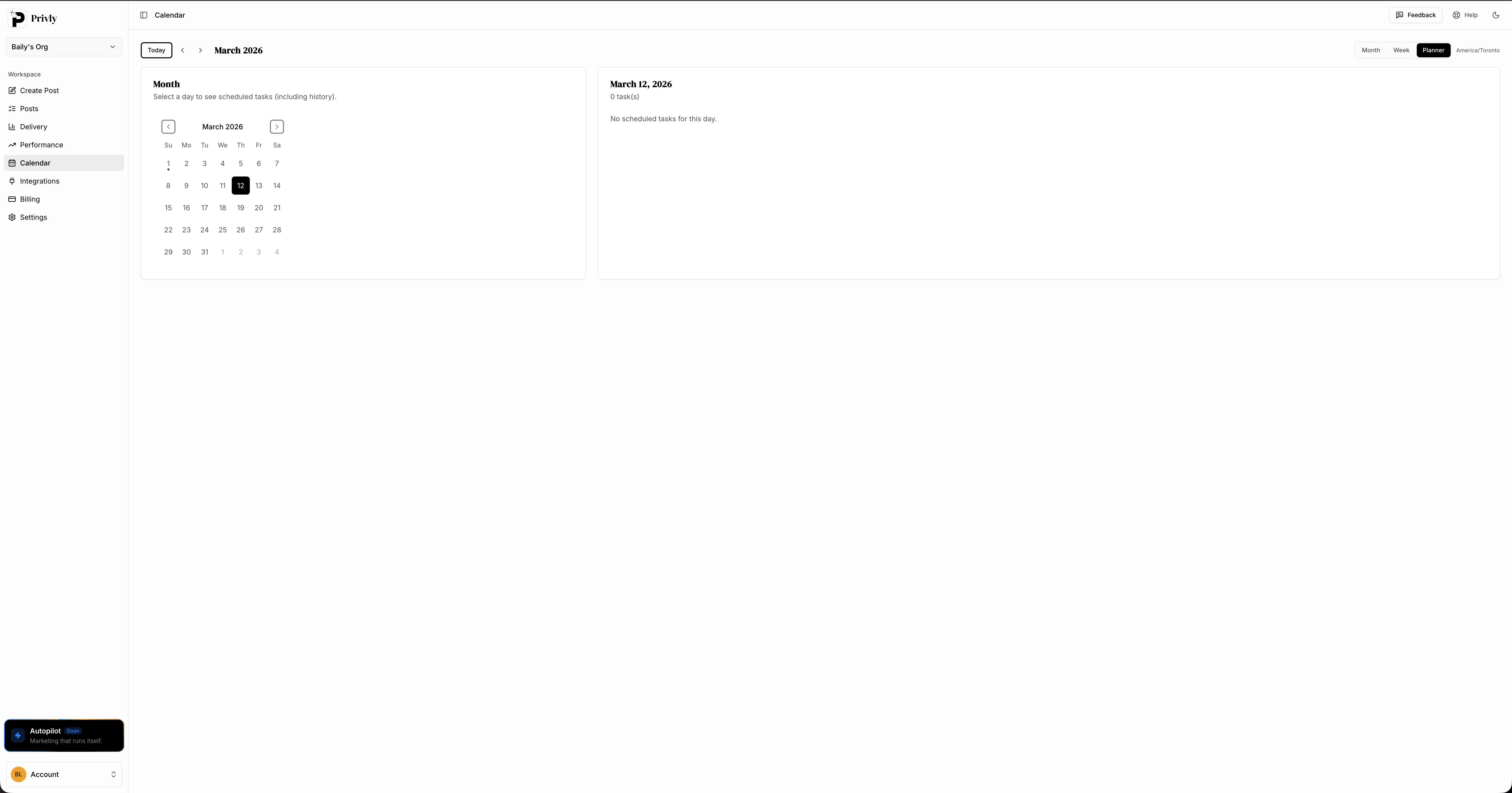
A clean planner view — select a day, see your tasks, no clutter.
3. AI integrated into the workflow, not as an afterthought
Generating content isn't just a gimmick anymore. Modern tools leverage AI natively on the drafting screen to help you adjust tone, generate hooks, or shorten character counts for specific networks, saving you the hassle of switching back and forth to ChatGPT.
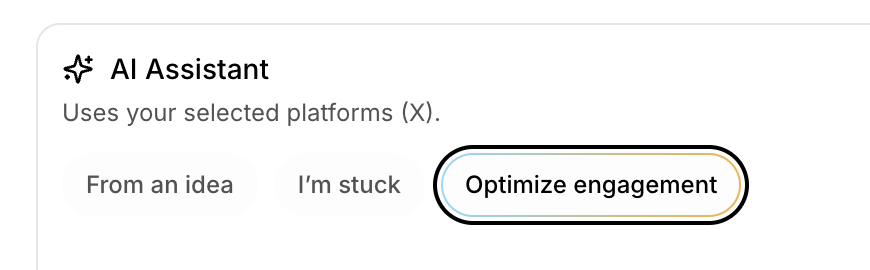
AI built into the drafting flow — not a separate tool you have to switch to.
4. Flawless cross-posting logic
Your tool should be smart enough to know that X requires 280 characters and LinkedIn allows 3,000. It should let you write one core message and effortlessly tweak it per platform within the exact same view, rather than making you compose three different posts from scratch.
Typical complaints from legacy software users
If you have used Hootsuite or similar older platforms recently, these pain points will sound familiar:
- It keeps disconnecting my accounts. Legacy OAuth architectures are notorious for silently dropping API tokens.
- The UI looks like an airplane cockpit. Columns upon columns of listening streams that 99% of small businesses never scroll through.
- I have to pay an insane amount to add a second teammate. Punishing per-seat pricing models that discourage team collaboration.
If you are fighting your software, you are losing time that should be spent engaging with your audience.
When Hootsuite still makes sense
Hootsuite is not a bad product. It is just built for a different buyer.
It can still make sense if your team needs:
- Complex permission structures across many departments
- Enterprise procurement, security reviews, and compliance controls
- Large-scale social listening across many markets
- Formal reporting workflows for executives
- Dedicated admins who manage the tool full time
Those are real needs for large organizations. They are not the usual needs of a founder, creator, local business, or small agency.
The mistake is buying enterprise process when your actual bottleneck is weekly publishing. If your team mostly needs to draft posts, adapt copy, schedule across channels, and review what worked, then Hootsuite's heavier workflow can slow you down instead of helping.
The hidden cost of staying on a tool that is too heavy
Most teams compare social media tools by subscription price. That matters, but it is not the only cost.
The bigger cost is operational drag:
| Hidden cost | What it looks like in practice |
|---|---|
| Setup time | New teammates need training before they can publish confidently |
| Drafting friction | Content still starts in a separate doc, AI tool, or spreadsheet |
| Review delays | Posts sit in limbo because the workflow is not obvious |
| Tool avoidance | People stop logging in unless they absolutely have to |
| Missed cadence | The calendar looks planned, but posts still do not ship |
For small teams, the best social media tool is usually the one that people actually use every week. If the interface is intimidating, the calendar is overloaded, or the pricing discourages teammates from joining, the platform becomes another source of friction.
That is why many teams start by reading a best social media management tool for small business comparison, then narrow the decision around speed and simplicity rather than enterprise feature depth.
Feature Comparison: The Enterprise Giant vs The Agile Alternative
| Feature / Need | Hootsuite (Enterprise Focus) | Agile Alternative (e.g. Privly) |
|---|---|---|
| Primary focus | Large-scale compliance & listening | Speed, batching & AI creation |
| Interface | Cluttered multi-column streams | Clean, focus-driven calendar view |
| AI Integration | Bolted-on Enterprise add-ons | Built natively into the drafting flow |
| Pricing Model | Expensive, per-seat/tiered jumps | Startup-friendly & predictable |
| Learning Curve | High (requires onboarding) | Zero (start posting in 2 minutes) |
Migration checklist: how to leave Hootsuite without chaos
Switching tools should not mean losing your calendar or pausing your content engine. Use a short migration plan.
Step 1: Export your current publishing plan
Before changing tools, capture:
- Scheduled posts
- Draft posts
- Campaign dates
- Recurring content pillars
- Platform account access
- Brand voice notes and reusable CTAs
Do not migrate noise. If an old draft no longer fits your strategy, leave it behind.
Step 2: Rebuild only the workflows you actually use
Many Hootsuite accounts contain dashboards, streams, reports, and tabs that nobody touches. Recreate the weekly workflow first:
- Draft content
- Review content
- Schedule content
- Check published status
- Review basic performance
If a feature does not support one of those steps, it can wait.
Step 3: Connect core channels first
Start with the platforms that drive the most business value. For most small teams, that means two or three of:
- X
- TikTok
- Threads
Once the core workflow is stable, add secondary channels.
Step 4: Run one real week before fully switching
Do not judge a tool from a demo dashboard. Run one actual content week:
- Draft 5 posts
- Adapt them for your real channels
- Schedule them
- Review status after publishing
- Check how long the process took
If the new tool saves time in the first week, the migration is working.
What small teams should prioritize instead of enterprise features
The best Hootsuite alternative for a small team should make the common work faster, not bury you under uncommon features.
Prioritize these:
Fast drafting
You should be able to move from idea to usable caption quickly. Native AI matters here because social posts are rarely finished in one pass. You need shorter versions, bolder hooks, different tones, and platform-specific rewrites.
Clear calendar visibility
The calendar should answer one question immediately: what is going out, where, and when? If you need multiple clicks to understand the week, the tool is too heavy.
Reliable publishing
Scheduling only matters if posts actually go live. Look for clear status, understandable error messages, and retry behavior that does not create duplicates. Our guide on posting reliability explains what to watch for.
Simple collaboration
Small teams still need review. A founder may want a VA to draft posts, an agency may need client approval, and a creator may want a teammate to check links. Collaboration should feel lightweight, not like enterprise workflow software.
Make the switch to something built for speed
Small teams win on social media by being faster, more consistent, and more authentic than large corporations. You cannot do that if your tools belong to the corporate world.
You need an application that gets out of your way. One that lets you log in on Monday morning, drop all your ideas into a seamless calendar, optimize them with AI instantly, and get back to actually running your business.
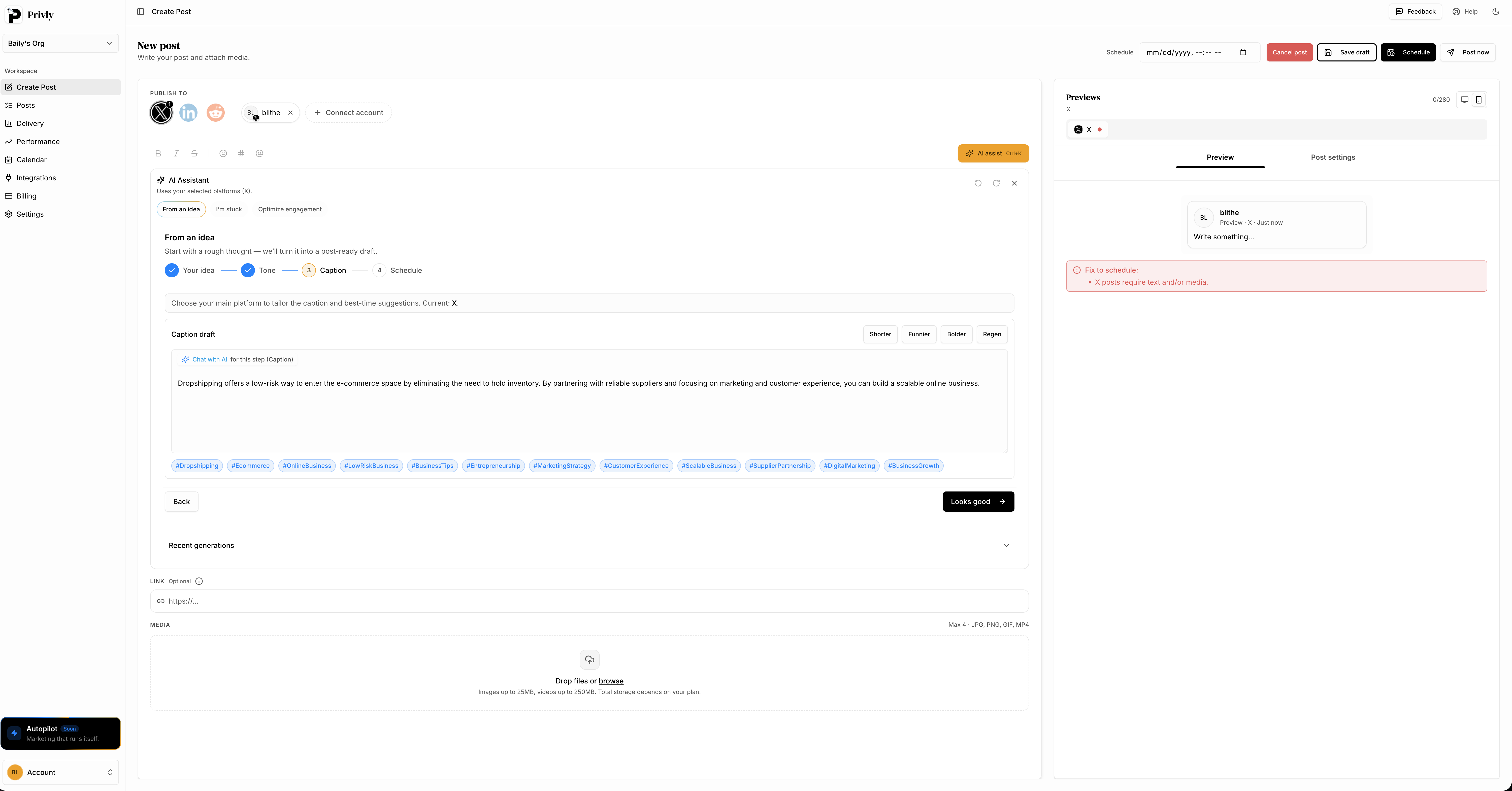
Draft, refine with AI, and publish — all from a single screen.
Privly was built specifically to be the anti-Hootsuite. It strips away the enterprise bloat and focuses entirely on the core mechanics of growth: scheduling reliably, adapting formats quickly, and analyzing what works. If you are also comparing Buffer, check out our Buffer alternative guide.
If you are tired of paying enterprise prices for outdated interfaces, it is time for an upgrade.
Stop fighting your scheduler. Experience the streamlined alternative for free at Privly.app
More from the blog

Planable Alternative for Small Teams: 2026 Workflow
Compare Planable alternatives for small teams. Learn when Privly fits AI drafting, review, approvals, scheduling, and founder-led content workflows.
June 24, 2026 · Privly Team

Turn Customer Calls Into Social Media Posts With AI
Learn how to turn customer calls into social media posts with AI. Extract buyer language, objections, proof, and founder context into reviewed posts.
June 24, 2026 · Privly Team

Metricool Alternative for Small Teams: 2026 Workflow
Compare Metricool alternatives for small teams. Learn when to choose Privly for AI drafting, review, scheduling, and founder-led distribution workflows.
June 23, 2026 · Privly Team