



10× More demos
Turn outreach into opportunity
Add your website and Privly finds relevant people on LinkedIn, then helps you qualify and follow up.
Try Privly yourself. Click a lead or explore the sidebar.
Reported customer results
Find people you can help. Reach out with a reason. Let Privly handle the follow-ups.
Turn outreach into opportunity
Turn leads into conversations
Up from 3% before Privly
Give people a reason to respond
One customer's week with Privly
Hot leads gathered.

“I used to spend Sunday evenings manually copying attendee names into a spreadsheet. Privly does the whole thing in under 8 minutes. My pipeline from events has tripled.”

“We run outbound for 12 clients. Privly replaced a listening tool, a sheet, and a sender with one review queue. Cleaner data, faster review, CSV into HubSpot.”

“The opportunity while-fresh thing is real. Privly keeps relevant people and evidence together so our team can review the signal and decide on outreach while it still matters.”

“I’ve been using Privly for my own outbound, and in a recent week it gathered 600+ hot leads (resulting in 16 calls booked in 7 days)”

What you get
For founders, agencies, consultants, and lean B2B teams who do their best selling in a conversation.
Put prospect research back in its place.
Start with your website. Let Privly bring relevant people into view.
Give your attention to people you can help.
Review prospects against the customers you want to reach and the problems you solve.
See a reason to reach out, beyond a job title.
Read the original post alongside the person, so you can judge the opportunity yourself.
Open with something that matters to them.
Make the draft your own before you send. You decide when to reach out.
A better starting point
Spend your time deciding who to help, with the research already in front of you.
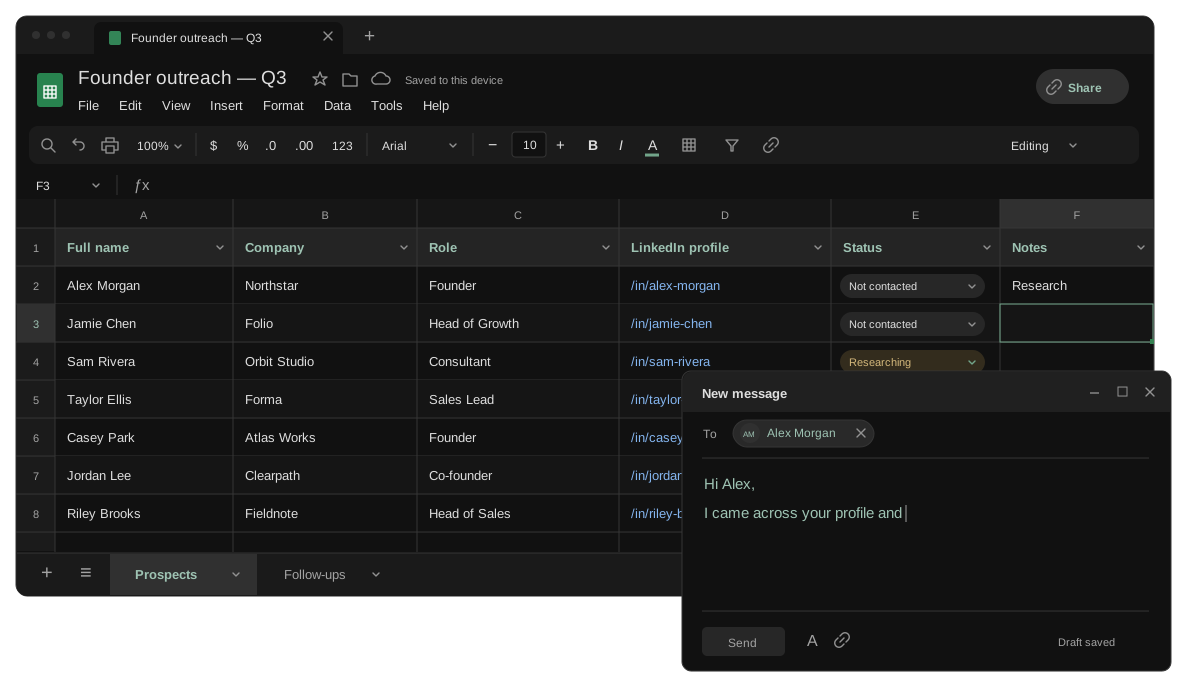

Prospecting on autopilot
Once set up, Privly finds relevant people in the background and surfaces a reason to reach out. Generate an AI draft from that context, ready to make your own.

ONE CONNECTED SYSTEM
Your website, your next prospect, and a relevant draft — together in one place. Keep the reason to reach out with you at every step.
Automated follow-ups
Set your messages and timing once. Privly sends your sequence automatically, so you can focus on the people who reply.
Turn on Autopilot for a campaign. Follow-ups stop when someone replies, and you can pause anytime.
FAQ
Your website. Privly drafts a profile of your business and ideal customers. Review it, make any changes, and start looking for relevant people.
Start with your website
Find people you can help — and a reason to reach out. Start with your website.